 Reel
SaaS product demo videos with Claude Code
Claude Code can make a SaaS or app demo video in code. Claude writes the panels, the typing terminal and the phone frames as HTML, CSS and JavaScript, and HyperFrames renders them to MP4 on your computer. There's no video model, no stock After Effects pack and no per-second fee.
Below are the rules of the look, the steps, two prompts you can paste, and which of my ready styles fit a launch film. If you've never made a film in code, start with how to make animated videos with Claude Code.
What makes the look
Give Claude these rules before it builds anything.
The stage is dark, with one accent colour. Navy or near-black plus a single mint, coral or violet reads as "software launch". Write the hex values down and keep them for the whole film.
Panels snap in on the beat. Windows, cards and charts arrive fast and stop dead, with no slow fades. Cut hard between beats.
Numbers move. Counters tick up, bars grow and a headline resolves out of scrambled characters. Motion on data tells the viewer what matters.
Device chrome frames the story. A phone or a browser window around your screens makes it clear this is an app.
These are drawn interfaces, not screen capture. Claude builds a made-up version of your UI from your description. If you need your real product on screen, record it and cut it in separately.
Steps with Claude Code
1. Plan 4 to 6 beats
Ask for the beats as text before any code:
Plan a demo film for a task-tracking app. 4 to 6 beats, one idea each:
the problem, the main screen, one feature, one number, the call to action.
Dark navy stage, one coral accent. Show me the plan before you write code.
2. Build and look at stills
npx hyperframes lint .
npx hyperframes snapshot . --at 1,3,6,9 -o snapshots
snapshot saves PNG frames at the seconds you list. Check that text fits inside the panels, the accent colour stays the same and nothing sits outside the safe area. Go a few rounds before you render.
3. Render
npx hyperframes render . -o out.mp4 --quality looks --workers 2
Use --quality draft first to check the timing. For narration, read how to add a voiceover to a Claude Code video.
Two prompts to paste
A. A 9:16 app-demo Short, 30 to 40 seconds
Make a 35-second 9:16 demo Short for a note-taking app called Margin.
Dark indigo stage, one coral accent. A phone frame holds the app screen.
A cursor taps through three features, each with a one-line caption.
End on a counter and the app name. Hard cuts on the beat.
Plan first, then show me stills of beat 1 before you build the rest.
B. A 16:9 launch teaser, 45 to 60 seconds
Make a 50-second 16:9 launch teaser for an analytics dashboard.
Dark navy stage with a fine grid, one mint accent. App windows snap in,
a terminal types one command, a chart grows and a big number resolves
out of scrambled characters. Plan 5 beats, show me the plan and stills
of beat 1, then build the rest.
Which styles come closest
A style kit has these rules already written down, along with scene templates and a checklist Claude grades its own stills against. Out of my 126 styles, these fit a product film:
| Style | Why it fits |
|---|---|
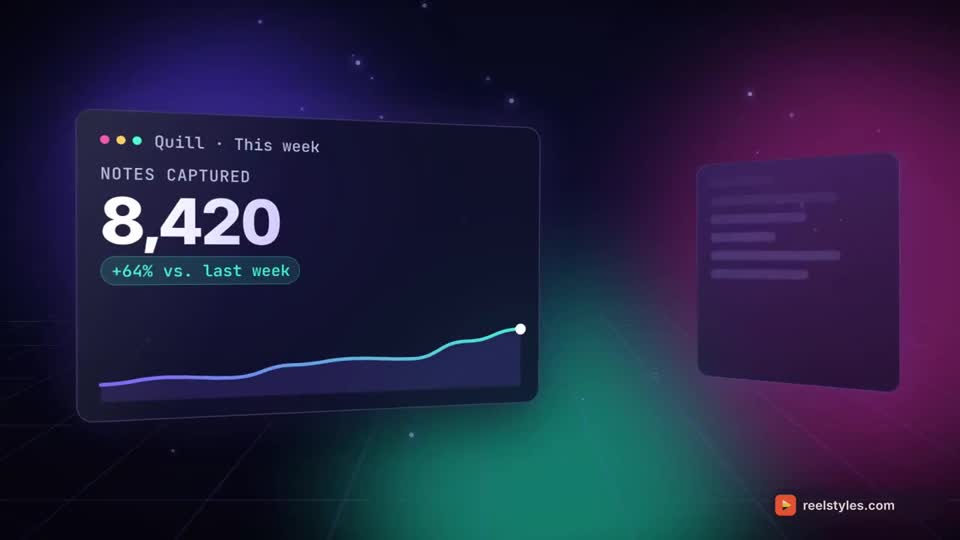
| Neon Deck | Glowing app panels in 3D space with counters, charts and typing |
| Device Demo | Phone and window frames, a typing terminal and a moving cursor |
| Product Cinematic | A dark-studio teaser: the camera circles one product and moves in close |
| Dark Keynote | Navy stage, app windows snapping on the beat, a number that resolves |
You can watch each style's example film on its page or in the catalog. They all come in one ReelStyles purchase, and you can try 7 styles for free first from reelstyles-free on GitHub. The style kits page explains what a kit contains.
Who this is for
It suits people who ship apps or SaaS and already use Claude Code: launch films, feature explainers and demo Shorts built from a description of the product's screens.
It doesn't suit photoreal product shoots. Product Cinematic draws a made-up object in a studio. It can't film your real hardware.
Questions
Does this work if I use Remotion?
Mostly the same rules apply, since the look is in the design and not the renderer. See Remotion video styles for what carries over, and HyperFrames and Remotion styles for the differences.
Do I need Figma?
No. Claude builds the interface in code from your description. If you have a Figma design, describe it or paste the colours and text, and Claude rebuilds it.
Can I use the films commercially?
The licence terms are on the terms page. Read them there before you publish.
Sources
HyperFrames on GitHub (Apache-2.0), Remotion. Commands come from my animated videos guide.